Updated · Sources & corrections
In this guide
- Choose the parser for the response you requested
- The simplest option: disable streaming explicitly
- A small native-stream parser with explicit failures
- Keep the last text fragment and require completion
- Check errors after the HTTP response starts
- What was actually tested
- Do not mix generate, chat and model-output JSON
- Sources and verification scope
Quick answer: If Python raises JSONDecodeError: Extra data while reading Ollama’s native API, check whether the HTTP body contains several JSON records. Either request "stream": false and decode one response, or read the streamed body one complete line at a time. Do not silently discard parsing errors: that can turn a failed generation into an apparently successful partial answer.
This guide addresses response parsing after a connection succeeds. For connection or model-name failures, use our Ollama troubleshooting checks or model-not-found diagnostic guide first.
Choose the parser for the response you requested
The official streaming reference describes native streamed responses as newline-delimited JSON. Adjacent records are not one JSON document. Inspect the response Content-Type and body before assuming the model generated invalid JSON.
| What you receive | How to handle it |
|---|---|
| A single JSON body after disabling streaming | Decode the whole body once. |
| Native NDJSON from /api/generate | Decode complete lines and collect response text. |
| Native NDJSON from /api/chat | Use the chat schema, including message.content. |
| HTML, an unexpected protocol or a proxy error | Verify the endpoint and upstream response before choosing a parser. |
The simplest option: disable streaming explicitly
If your application only needs a complete answer, send this request-body shape to /api/generate. Replace the placeholder with a suitable model already available on your server:
{
  "model": "REPLACE_WITH_INSTALLED_MODEL_TAG",
  "prompt": "Give one short greeting.",
  "stream": false
}
Read the complete JSON response and check for an error before using its text. This example is a request definition, not a recorded server result. The generation API documentation defines the request and response fields. Changing the model or reinstalling the server will not resolve a client that applies a single-document parser to a multi-record body.
A small native-stream parser with explicit failures
The Python example below uses only the standard library. It expects a binary file-like stream with readline(), such as a buffered HTTP response. It targets /api/generate, not every streaming protocol or endpoint.
import json


def generate_events(stream, line_limit=65536):
    """Read complete native /api/generate NDJSON records, not network chunks."""
    while True:
        raw = stream.readline(line_limit + 1)
        if not raw:
            raise RuntimeError('Stream ended before done=true')
        if len(raw) > line_limit:
            raise ValueError('Example line-size limit exceeded')
        if not raw.strip():
            continue
        event = json.loads(raw.decode('utf-8'))
        if not isinstance(event, dict):
            raise ValueError('Expected an object per line')
        if 'error' in event:
            raise RuntimeError(str(event['error']))
        if not isinstance(event.get('response', ''), str):
            raise ValueError('Expected response text')
        yield event
        if event.get('done') is True:
            return


def collect_text(stream):
    parts = []
    final_reason = None
    for event in generate_events(stream):
        parts.append(event.get('response', ''))
        final_reason = event.get('done_reason', final_reason)
    return ''.join(parts), final_reason


if __name__ == '__main__':
    from io import BytesIO
    fixture = b'{"response":"Hello ","done":false}\n{"response":"world","done":true,"done_reason":"stop"}\n'
    print(collect_text(BytesIO(fixture)))
Save it as stream_parser.py. The line-size limit is a conservative example setting, not an Ollama API limit. This collector keeps the complete answer in memory; a production client should also define total-size limits, connection/read timeouts and cancellation behavior for its workload.
A network read can end in the middle of a JSON record or a UTF-8 character. Do not treat arbitrary socket chunks as complete JSON. Here, the buffered line reader supplies each complete record before UTF-8 decoding. Python’s JSON documentation explains decoding failures and cautions against unbounded parsing of untrusted data.
Keep the last text fragment and require completion
The collector adds each record’s text before stopping at done: true. That order matters when the final record also contains text. It also rejects an unexpected end of input instead of returning a partial answer as complete.
A completion marker tells you the stream finished; it does not prove the answer met your needs. Inspect the final reason as well. For example, a length-related stop can require a different prompt or generation budget rather than another JSON parser. See the documented response fields in the generation reference.
Check errors after the HTTP response starts
Checking the initial HTTP status is necessary, but it is not sufficient for a streaming request. Ollama’s error documentation says an error can arrive inside a stream whose status has already been sent. The parser checks every record for an error and raises it. It also fails visibly on malformed JSON rather than suppressing the exception and presenting incomplete text.
If you show fragments immediately in a UI, label the answer as incomplete until the completion signal arrives. Preserve the error separately if generation fails after some text has appeared.
What was actually tested
The parser passed nine local tests using constructed byte streams on 22 October 2026; all nine were rerun successfully on 24 October 2026. These are parser tests, not captured Ollama generations or hardware measurements.
| Fixture | Observed parser behavior |
|---|---|
| Text in both an ordinary and final record | Both fragments retained in order. |
| UTF-8 text and a blank line | Text preserved; blank line skipped. |
| No completion record | RuntimeError raised. |
| Error after a text record | Error raised instead of returning success. |
| Malformed JSON, non-object or non-text response | Each invalid fixture rejected. |
| Record exceeding the example line limit | ValueError raised. |
| Final record with a length stop reason | Reason returned alongside text. |
Do not mix generate, chat and model-output JSON
The native chat endpoint has a different response shape from generation. Adapt field extraction to the endpoint rather than assuming a missing response field means there was no answer. Also distinguish the HTTP envelope from JSON requested inside a model’s answer: a valid transport record does not establish that the generated content satisfies your application’s schema.
For initial setup and other API examples, return to our Ollama complete guide. When reporting a parsing problem, save the endpoint, request’s stream setting, Content-Type, a small redacted body sample and whether a completion marker arrived.
Sources and verification scope
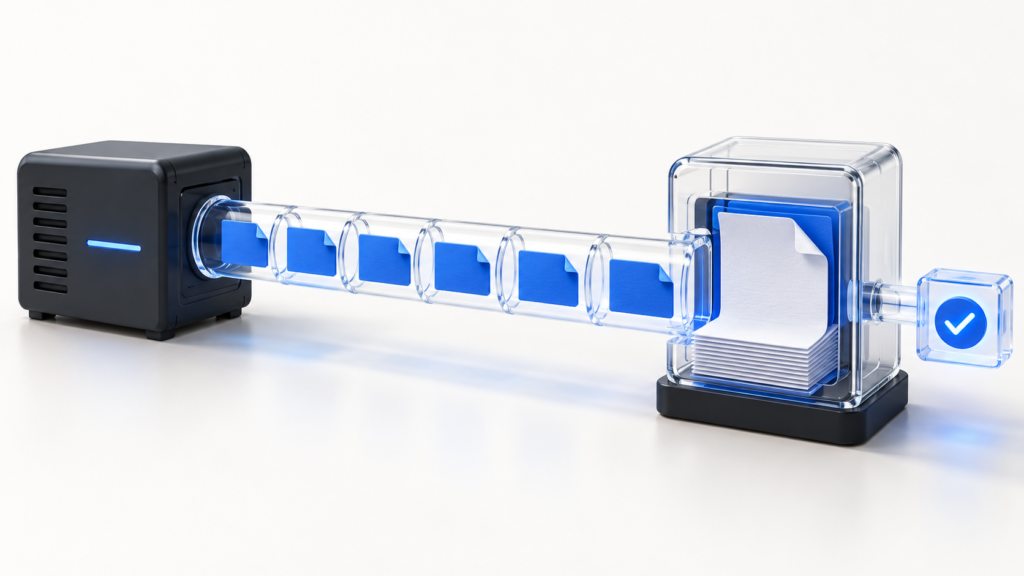
Reviewed again against the linked official Ollama and Python references on 24 October 2026. Parser logic was tested locally against synthetic fixtures; no live Ollama server, model compatibility or network resilience test is claimed. The featured image is an original generated illustration. Read our sourcing and correction policy.
Editorial correction, 24 October 2026: restored the streaming parser guide after unrelated general-guide content appeared on this URL. The original publication date is unchanged.