
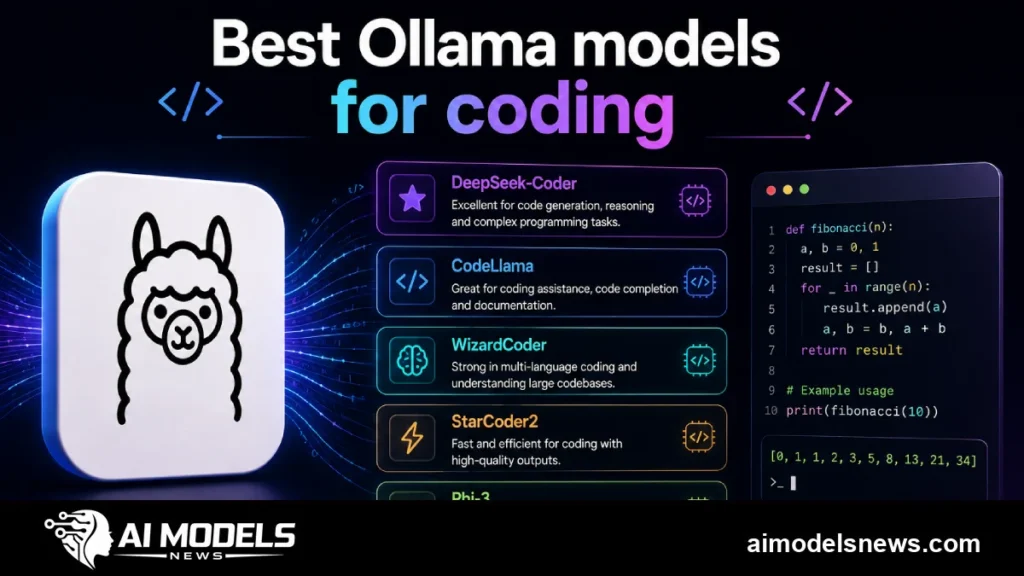
Finding the best Ollama model for coding is harder than it looks, because “best” depends on your GPU, your RAM, and what you actually do all day. If you are already running local AI models through Ollama, the good news is that 2025’s open-weight releases have closed most of the gap with paid APIs.
The tricky part is choice overload. There are dozens of coding-tuned, creative-tuned, and so-called uncensored fine-tunes on the Ollama registry, and their one-line descriptions rarely tell you how much VRAM they really need.
This guide cuts through that. We compare the strongest current model families for coding and roleplay, give you VRAM estimates at Q4 quantization, and include the exact pull command for every model so you can test them in minutes.
How we picked these models
Every model below is available on the official Ollama library, runs well at Q4_K_M or equivalent quantization, and has a track record on public benchmarks like HumanEval, MBPP, or the community leaderboards. We also weighed how usable each model feels in real chat, not just synthetic scores.
VRAM figures are practical estimates at Q4 quantization, including a modest context window. Your exact usage will vary with context length and system overhead, so treat these as planning numbers, not guarantees.
A quick word on quantization: Q4 shrinks a model’s weights from 16-bit to roughly 4-bit precision, cutting memory needs by about three quarters. The quality loss is usually small for chat and code, which is why Q4 is the sweet spot for local use.
Quick comparison table
| Model | Params | VRAM at Q4 | Best use case |
|---|---|---|---|
| Qwen2.5-Coder 7B | 7B | ~5 GB | Everyday autocomplete and chat |
| Qwen2.5-Coder 14B | 14B | ~9 GB | Strong coding on mid-range GPUs |
| Qwen2.5-Coder 32B | 32B | ~20 GB | Near-GPT-4-class local coding |
| DeepSeek-Coder-V2 Lite | 16B MoE | ~10 GB | Multi-language codebases |
| Codestral 22B | 22B | ~13 GB | Fill-in-the-middle completion |
| Llama 3.1 8B (roleplay tunes) | 8B | ~5-6 GB | Character chat and creative writing |
| MythoMax 13B | 13B | ~8 GB | Long-form roleplay and storytelling |
| Dolphin / abliterated 8B | 8B | ~5-6 GB | Low-refusal assistant tasks |
Best Ollama models for coding
Qwen2.5-Coder: the default recommendation
Alibaba’s Qwen2.5-Coder family is the safest answer to “what should I run first?” The 7B variant scores remarkably well on code benchmarks for its size and answers quickly even on a 6-8 GB GPU.
The 32B variant is where things get serious: it trades blows with much larger proprietary models on many tasks. You will want a 24 GB card, or a Mac with 32 GB of unified memory, to run it comfortably at Q4.
ollama pull qwen2.5-coder:7b
ollama pull qwen2.5-coder:32b
DeepSeek-Coder-V2: the polyglot specialist
DeepSeek-Coder-V2 uses a mixture-of-experts design, so the Lite 16B version only activates a fraction of its parameters per token. That means you get quality close to a dense 20B+ model with inference speed closer to a 3B model.
It was trained across more than 300 programming languages, which makes it a strong pick if your work spans Python, Rust, Go, and web stacks in the same project. The Lite variant fits in roughly 10 GB of VRAM at Q4.
ollama pull deepseek-coder-v2:16bCodestral: built for fill-in-the-middle
Mistral’s Codestral 22B was designed with fill-in-the-middle completion as a first-class feature, which is exactly what editor autocomplete needs. If your main workflow is Copilot-style inline suggestions rather than chat, Codestral is worth the extra VRAM.
ollama pull codestral:22bNote that Codestral ships under a non-production research license from Mistral, so read the terms before using its output commercially. For pure hobby and learning use, it is excellent.
Honorable mentions
StarCoder2 7B and CodeGemma 7B are older but still useful, especially on tight hardware budgets. Both are permissively licensed and fast, though newer Qwen2.5-Coder releases beat them on most benchmarks at the same size.
ollama pull starcoder2:7b
ollama pull codegemma:7b
Hooking a local model into your editor
Once a model is pulled, tools like Continue.dev or twinny in VS Code can point at Ollama’s local API on port 11434. Start the server, verify it responds, and you have free, private autocomplete.
ollama serve
curl http://localhost:11434/api/tags
Best Ollama models for roleplay and creative writing
What makes a good roleplay model
Roleplay models need long-context consistency, a natural prose style, and the ability to stay in character without nagging. General assistant models often break immersion with safety lectures or by reverting to “as an AI” phrasing, which is why the community builds dedicated fine-tunes.
Top picks for character chat
MythoMax 13B remains a community favorite for long-form storytelling and consistent character voice, and it runs happily on an 8 GB card. Llama 3.1 8B-based roleplay merges are the modern alternative, with better instruction following at a similar footprint.
ollama pull mythomax:13b
ollama pull llama3.1:8b
For creative work, generation settings matter as much as the model. Raising temperature to around 0.8-1.0 and tuning repeat penalty transforms flat output into lively prose.
You can bake those defaults into a custom variant with a Modelfile, which we cover in our guide to Ollama Modelfile configuration. It takes about five minutes and saves you from re-typing parameters in every session.
What “uncensored” Ollama models actually are
Abliterated and uncensored fine-tunes explained
“Uncensored” models come in two flavors. Fine-tunes like the Dolphin series are trained on datasets with refusal examples removed, while “abliterated” models use a technique that surgically suppresses the refusal direction in the model’s weights without retraining.
Both approaches reduce how often the model says no. They do not magically make the model smarter; they change its refusal behavior, sometimes at a small cost to overall coherence.
ollama pull dolphin3:8b
ollama pull huihui_ai/llama3.2-abliterate:3b
A note on responsible use
Lower refusal rates are useful for legitimate work: security research in a lab, red-teaming, creative fiction with dark themes, or medical and legal drafting where base models over-refuse. They are not a license to generate harmful content, and everything your local model outputs is still your legal and ethical responsibility.
Treat uncensored models like power tools. Run them locally, keep them off public-facing endpoints without your own guardrails, and follow the laws and platform rules that apply to you.
Matching models to your hardware
A simple rule: pick the largest model whose Q4 VRAM fits in your GPU with 2-3 GB to spare for context. On a 8 GB card that means 7-8B models; on 12-16 GB, 13-14B models; on 24 GB, the 32B class opens up.
If you are on CPU or integrated graphics, stay at 7B and below and accept slower tokens. Offloading partial layers to GPU with num_gpu in a Modelfile can salvage a borderline setup.
Still deciding whether Ollama is even the right runner? Our LM Studio vs Ollama comparison breaks down the two most popular local inference tools, and the broader local AI hub covers the rest of the stack.
Conclusion
For coding, start with Qwen2.5-Coder 7B and step up to the 32B variant if your hardware allows; add DeepSeek-Coder-V2 for multi-language work or Codestral for autocomplete. For roleplay, MythoMax and Llama 3.1-based fine-tunes deliver the most consistent characters per gigabyte.
The real advantage of Ollama is that every model here is one pull command away. Test two or three side by side on your own prompts, and keep whichever one earns its VRAM.